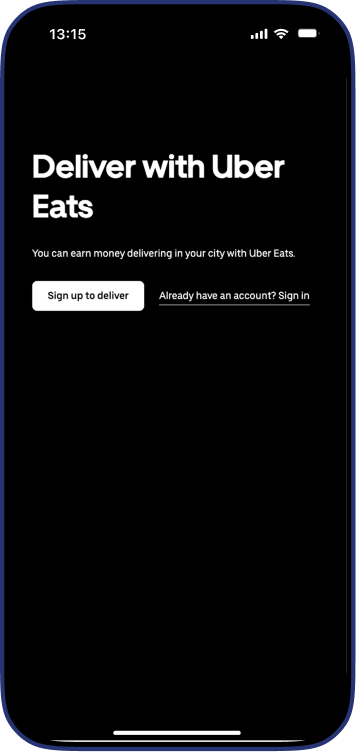
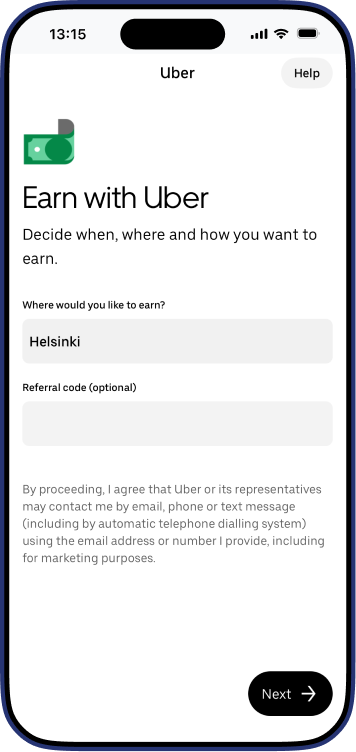
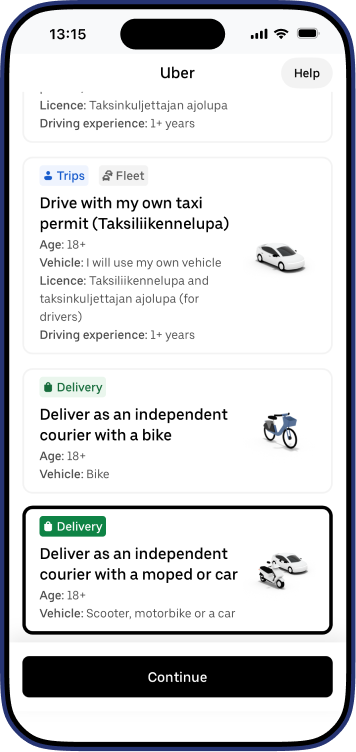
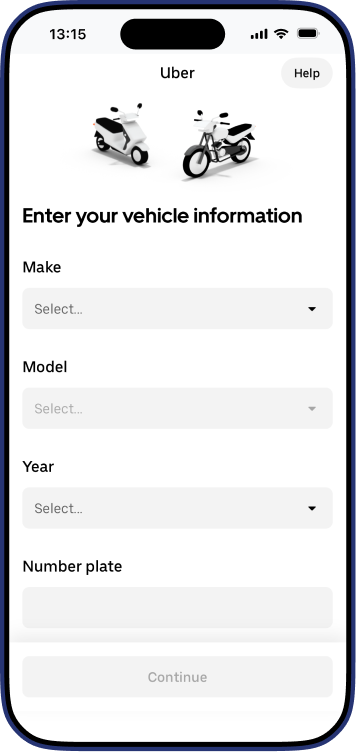
Start delivering with Uber Eats
Start delivering on your own schedule. Sign up as an Uber Eats courier partner in just a few steps, and let Truster handle your bookkeeping.
3,99 %
Yhteistyöhinnoittelun avulla säästät merkittävästi normaaliin hinnoitteluun verrattuna. Truster hoitaa kaiken laskutukseen ja hallintoon liittyvään puolestasi.
Sinä voit keskittyä työn tekemiseen.
Näin otat Trusterin käyttöösi
Pääset alkuun helposti. Lataa sovellus tai aloita selaimen kautta klikkaamalla Siirry sovellukseen -painiketta.
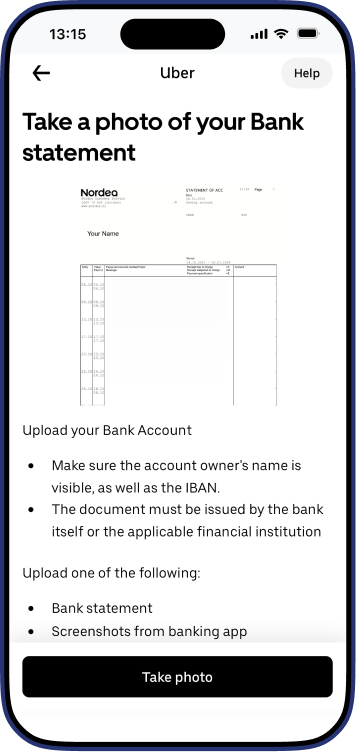

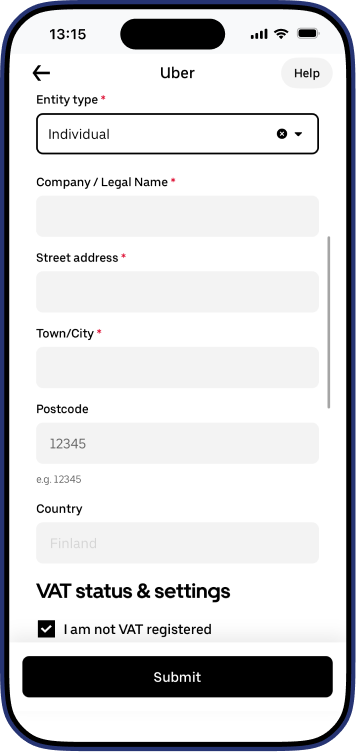
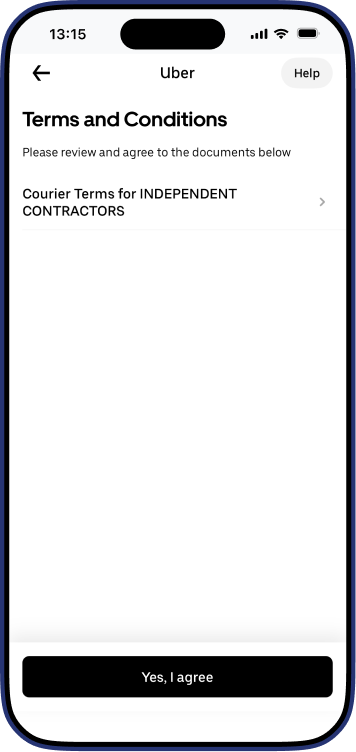
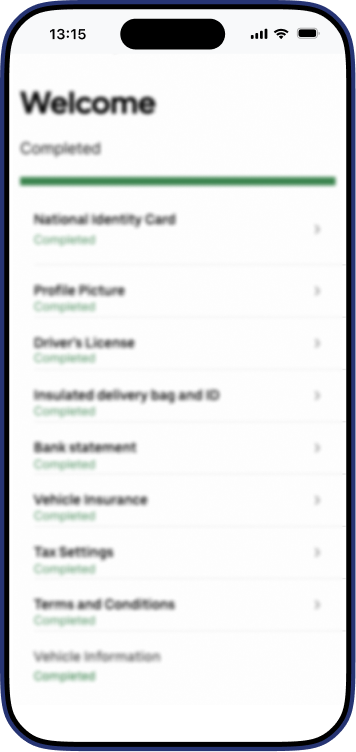
Lisätietoa ja ohjeita keikoille
Valitse laskutatko kevytyrittäjänä vai toiminimellä
ja katso tilauskohtaiset ohjeet.
YEL-vakuutus
Tietoa kevytyrittäjän eläketurvasta ja vakuuttamisvelvollisuudesta.
YEL-tuloraja vuonna 2026: 9 423,09 €
Kyllä, se on lakisääteinen vakuutus, jos seuraavat ehdot täyttyvät:
- Olet 18–68-vuotias (vakuuttamisvelvollisuuden yläikäraja nousee portaittain).
- Työskentelysi kestää yhtäjaksoisesti vähintään 4 kuukautta.
- Arvioitu työtulosi ylittää vähimmäisrajan (9 423,09 € vuonna 2026).
- Asut ja työskentelet Suomessa.Vakuutus on otettava viimeistään 6 kuukauden kuluessa toiminnan alkamisesta.
YEL (Yrittäjän eläkeläke) on yrittäjän koko sosiaaliturvan kivijalka. Se ei ole vain "eläkemaksu", vaan se vaikuttaa suoraan seuraaviin etuuksiin:
- Sairauspäiväraha: Kelan maksama korvaus määräytyy YEL-työtulon mukaan.
- Vanhempainpäivärahat: Äitiys-, isyys- ja vanhempainrahat lasketaan työtulosta.
- Työttömyysturva: Oikeus yrittäjän työttömyyspäivärahaan edellyttää tiettyä YEL-työtulon tasoa.
- Eläketurva: Kertyy vanhuuseläkettä ja suojaa työkyvyttömyyden varalta.
YEL-tuloraja vuonna 2026 on 9 423,09 €
YEL-työtulo tarkoittaa yrittäjänä tekemäsi työn arvoa euroissa 12 kuukauden ajalta. Se ei siis ole sama asia, kuin liikevaihto tai nostamasi palkka, vaan se on rahamääräinen arvio siitä, mitä maksaisit ulkopuoliselle ammattilaiselle tekemästäsi työstä. YEL-vakuutusyhtiön tekemä työtulosuositus pohjautuu liikevaihtoarvioosi sekä toimialasi mediaanipalkkaan. Arvioinnissa huomioidaan myös mahdollinen osa-aikaisuus sekä kausiluonteisuus. YEL-työtuloraja muuttuu vuosittain.
Trusterin kautta vakuutuksen ottaminen on erittäin helppoa. Voit tehdä hakemuksen suoraan Truster-sovelluksessa: klikkaa valikosta “Hanki YEL-vakuutus”. Jos et ole täydentänyt profiiliasi, ohjaamme sinut ensin täyttämään puuttuvat tiedot. Kun profiilisi on valmis, pääset täyttämään YEL-hakemuksen sovelluksesta.Tiedot välittyvät automaattisesti kumppaniyhtiö Ilmariselle. Jos sinulla on jo vakuutus toisessa yhtiössä, siirto hoituu automaattisesti hakemuksen myötä ilman, että sinun tarvitsee olla yhteydessä vanhaan yhtiöön.
Ei ota, sinun tulee itse hakea ja aktivoida YEL-vakuutus. Truster ei tee vakuutussopimusta automaattisesti puolestasi, sillä vakuutus on henkilökohtainen. Voit kuitenkin tehdä hakemuksen helposti suoraan sovelluksen kautta.
Kun olet hakenut vakuutuksen, Truster hoitaa kaiken hallinnollisen työn puolestasi:
- Maksujen hoito: Truster maksaa YEL-laskut suoraan puolestasi ja vähentää summan palkastasi.
- Automaatio: Sinun ei tarvitse huolehtia eräpäivistä tai laskujen arkistoinnista, vaan me hoidamme ne taustalla.
- Vaivattomuus: Kaikki vakuutukseen liittyvä tieto kulkee automaattisesti Trusterin ja eläkeyhtiön (Ilmarinen) välillä.
YEL-vakuutusmaksun määrä perustuu vahvistettuun YEL-työtuloosi sekä ikääsi. Tarkan arvion vakuutusmaksuista saat parhaiten hyödyntämällä eläkevakuutusyhtiöiden, kuten yhteistyökumppanimme Ilmarisen verkkosivuilta löytyviä YEL-laskureita.
Tämän lisäksi huomioi seuraavat asiat YEL-vakutukseen liittyen:
- Aloittavan yrittäjän alennus: Saat 22 % alennuksen maksuista ensimmäisen 48 kuukauden (4 vuoden) ajan.
- Verovähennysoikeus: YEL-maksut ovat 100 % verovähennyskelpoisia joko omassa henkilökohtaisessa verotuksessasi tai yrityksen kuluina.
Keskity työn tekemiseen, me hoidamme loput
Huoletonta palkkionmaksua ja automaattista hallintoa
We help you open your Business ID and take care of the first steps needed to start working with Uber Eats as a self-employed courier.
Truster takes care of your bookkeeping for you. Just send us your Uber Eats report every month through the app's support request section, and we'll handle the rest.
Starting as an entrepreneur can feel confusing, but you don't have to figure it out alone. Truster is here to guide you and help make entrepreneurship easier to understand.
Usein kysyttyä
Vastauksia yleisimmin kysyttyihin kysymyksiin.
Yes. Your Uber Eats courier profile must be created using your own Business ID. This is important so your payments, reporting, bookkeeping, and taxation are handled correctly.
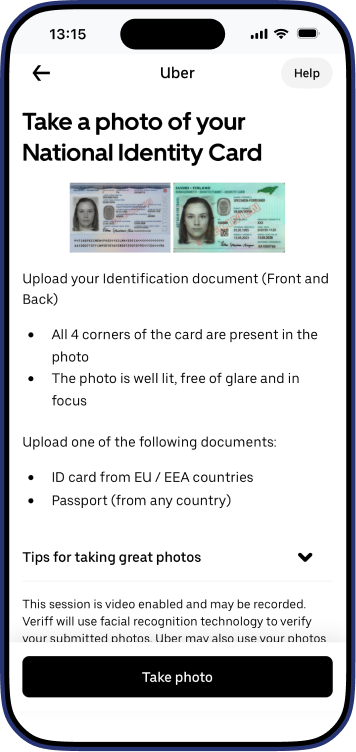
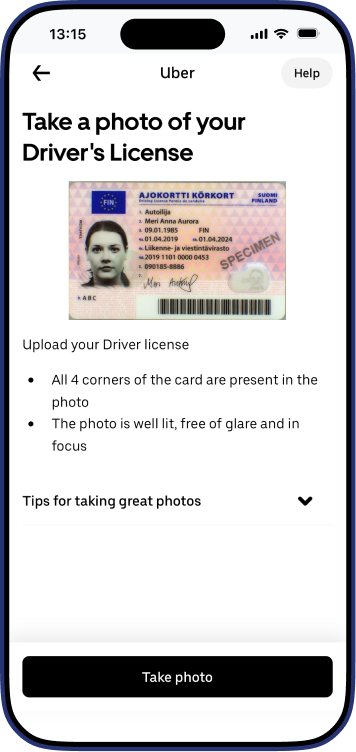
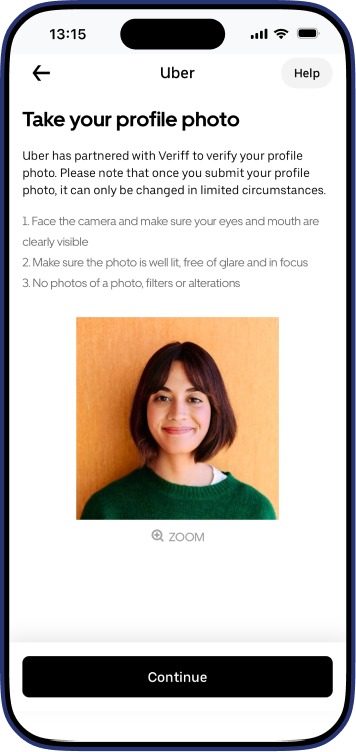
Uber may reject photos if they do not meet the requirements. Make sure that:
- the image is clear
- all text is readable
- all four corners of the document are visible
- the photo is not cropped too tightly
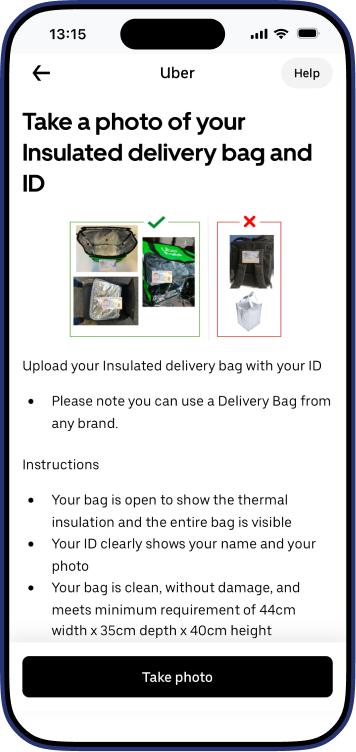
Yes. You can use another delivery bag brand, such as a Wolt bag, as long as the bag photo meets Uber's requirements.
This is normal. It means activation may take longer in your city. You should still upload all requested documents and complete your application. Uber will notify you separately, usually by email or in the app, when your account is activated and you can start delivering.
Payments from Uber Eats are made directly to your own bank account, not through us.
Once you start delivering, you need to send us your monthly Uber reports through the app's support request section. We use those reports to handle your bookkeeping and taxation.
Miten otan yhteyttä Trusteriin?
Tavoitat asiakaspalvelumme parhaiten sovelluksen Tukipyynnöt-osion kautta. Voit myös soittaa meille arkisin klo 9–15 numeroon 050 1856 tai varata takaisinsoittoajan täältä.
Valmis aloittamaan?
Truster hoitaa laskutuksen ja hallinnon puolestasi. Sinä voit keskittyä työn tekemiseen.